Event Queue SMS opt-in proof
Nerd Rage Gaming offers optional ready-check text alerts for tournament side-event queues.
A ready check asks a queued player to confirm whether they can start an event.
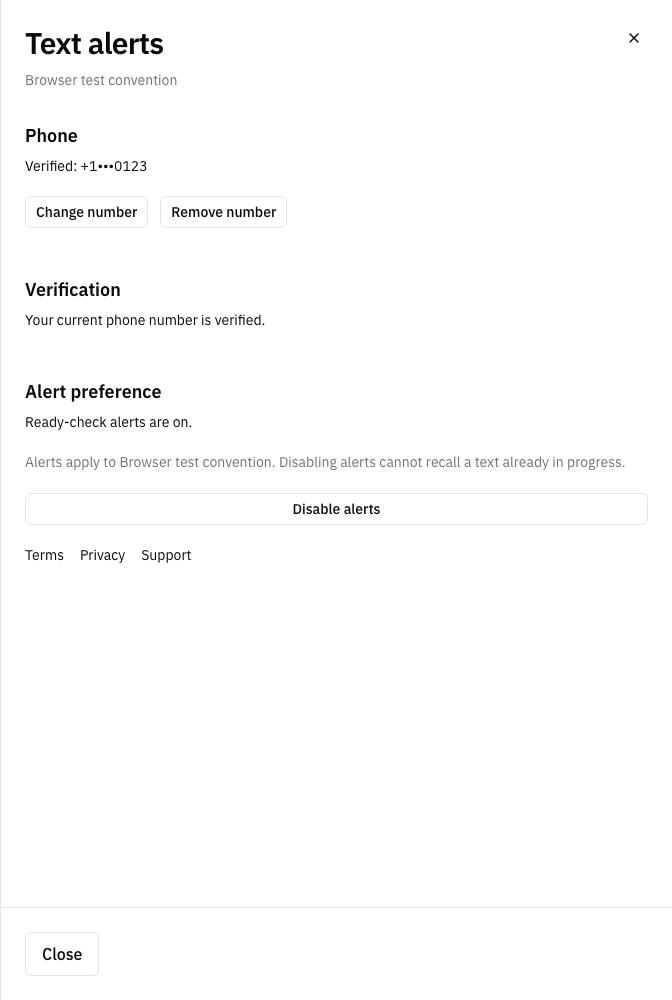
These pre-launch screenshots show the actual app forms with an example phone number and convention.
We capture them in a browser test with offline SMS responses. The test sends no SMS.
1. Request phone verification
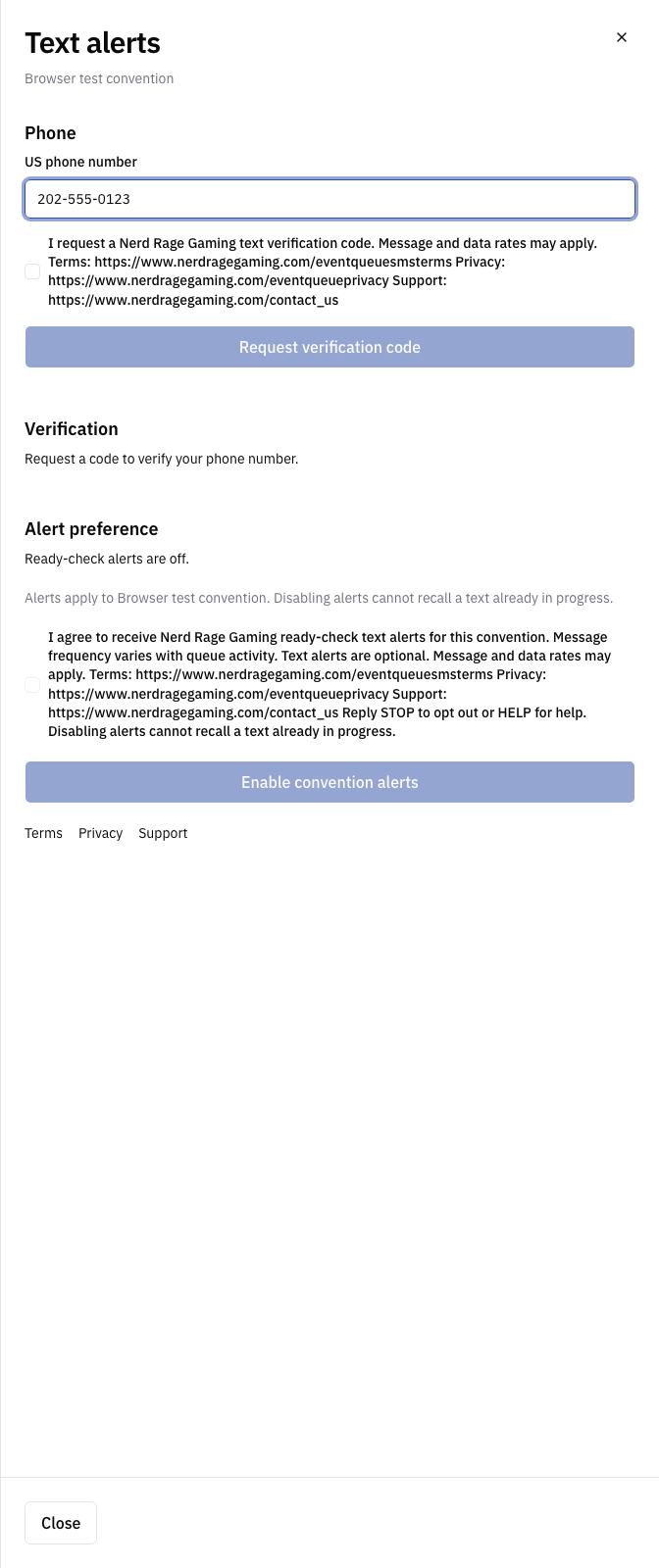
The player enters their own phone number. Both consent checkboxes start unchecked.
The player must select the verification checkbox before requesting a code.
2. Give separate consent for alerts
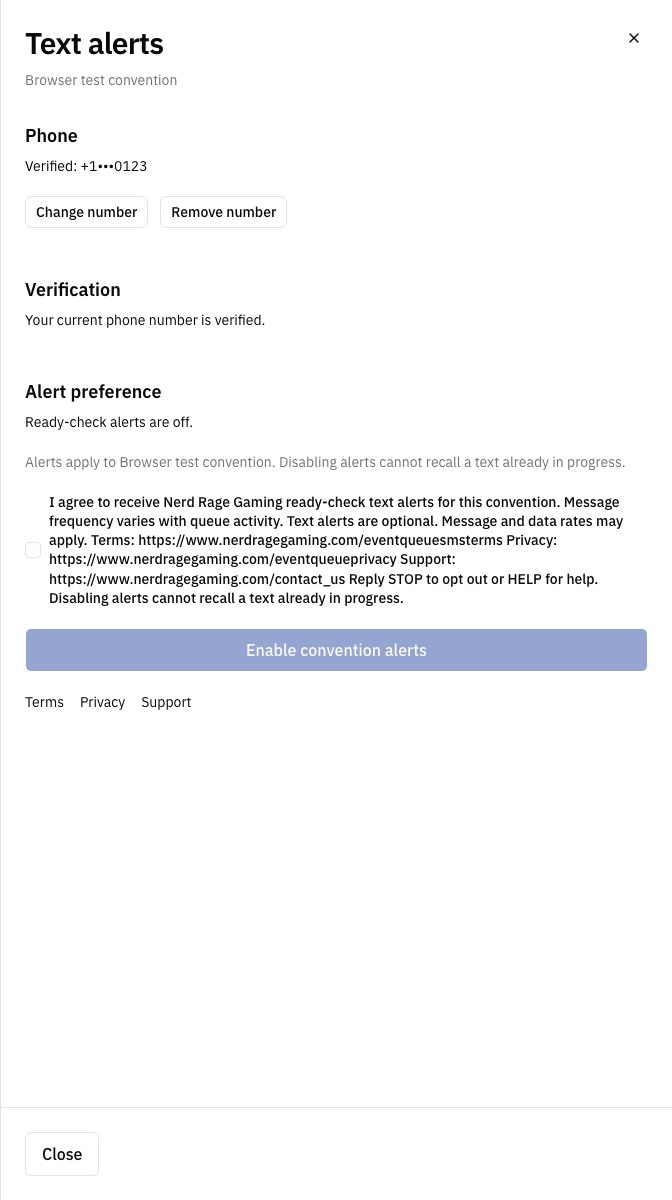
After phone verification, the player must select a separate checkbox and click Enable convention alerts.
The disclosure states the brand, purpose, optional alerts, variable frequency, rates, STOP, HELP, and policy links.
3. Confirm enrollment in the app
After submission, the app shows that ready-check alerts are on and provides a Disable alerts button.